
How to Log into a Merchant's Portal
This guide will walk you through the process of logging into a merchant's portal when you're signed in as a reseller user.
1. Navigate to the Merchants section
From the reseller portal, select Merchants from the main navigation menu.

2. Log into the Merchant's Account
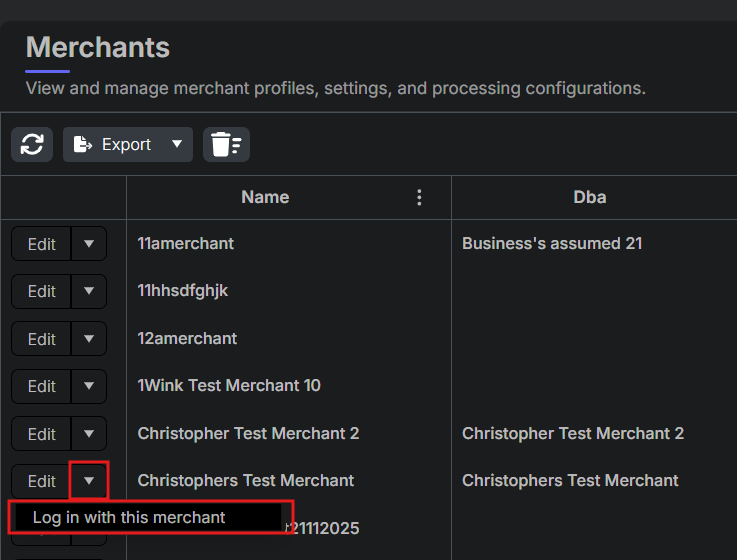
In the Merchants menu, locate the merchant you want to access. Select the arrow next to the edit button to reveal the Log in with this merchant option and click on it. This will log you into the merchant's portal as the primary user for that merchant account.
3. Return to the Reseller Portal
To log back into the reseller portal, select the Avatar icon at the top of the page to open a dropdown menu. From there, choose Back to my account. This will navigate you out of the merchant's portal and back to the reseller portal.

Updated 11 months ago
Did this page help you?