
Delete a Customer Profile
This guide will walk you through the process of deleting a customer profile from the Customer Vault.
1. Navigate to the Customer Vault
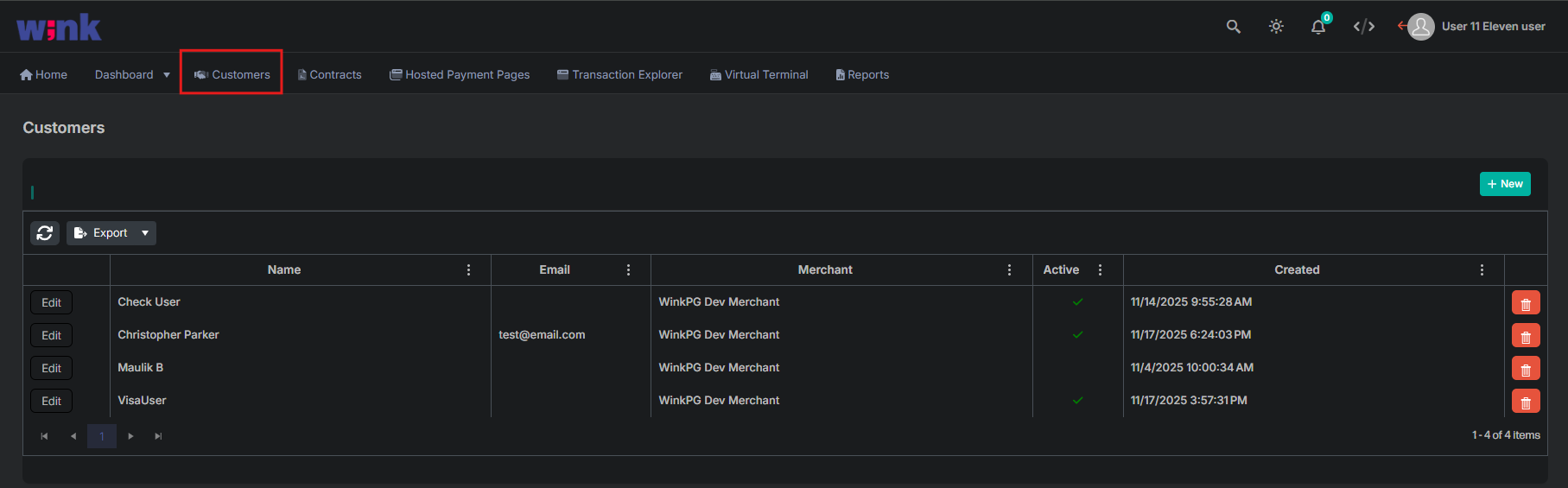
Select Customers from the main navigation menu.
2. Delete Customer Profile
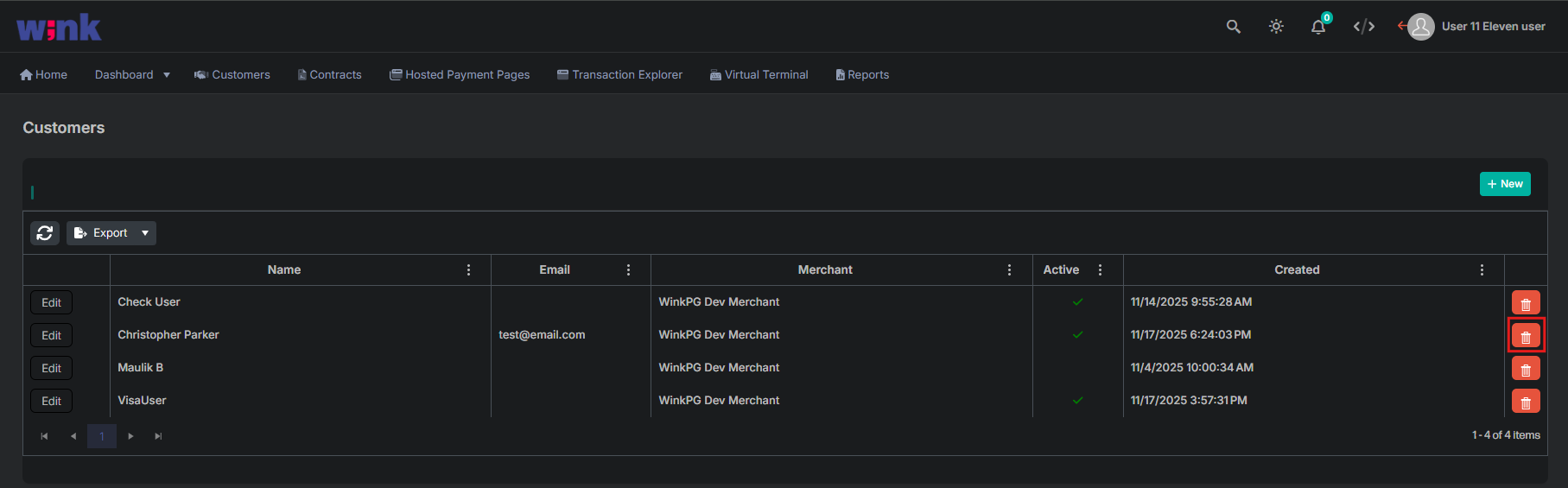
To delete a customer profile, select the red trash can icon located in the same row as that profile, on the right side of the screen.
3. Confirm Profile Deletion
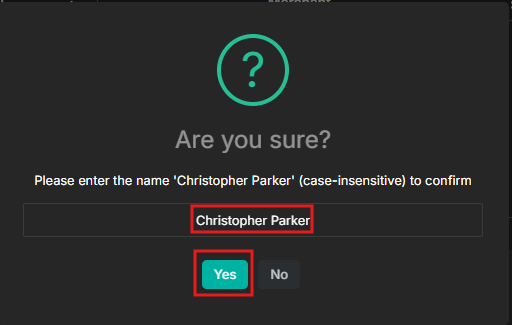
After selecting the red trash can a confirmation screen will appear that will ask you to enter the name of the customer. After entering the name, select Yes to complete the deletion process.
Updated 11 months ago
Did this page help you?